
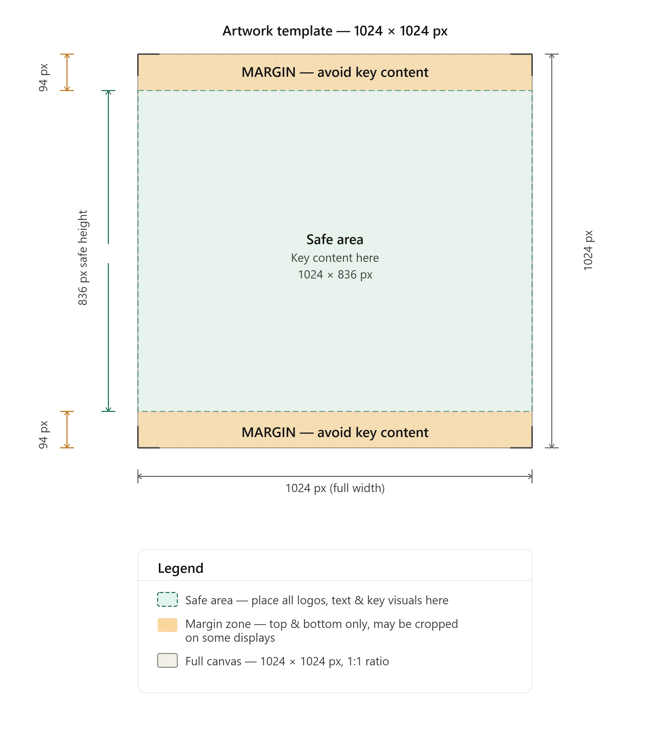
For Newsfeed images, it is best to use a square image where the key text, logos, and important design elements sit within the centre safe area, with extra background or padding on the top and bottom edges so the image thumbnail shows fully on the mobile app.
If an image size is 1024 px × 1024 px, the key content should sit within the centre safe area of 1024 px × 836 px, with a top margin of 94 px and a bottom margin of 94 px.
If preparing a smaller square image, such as 600 px × 600 px, the equivalent safe area would be approximately 600 px × 490 px, with a top margin of around 55 px and a bottom margin of around 55 px.