
Forms can be restricted to certain groups by assigning a category:
- When creating a form post, scroll to the Category field.
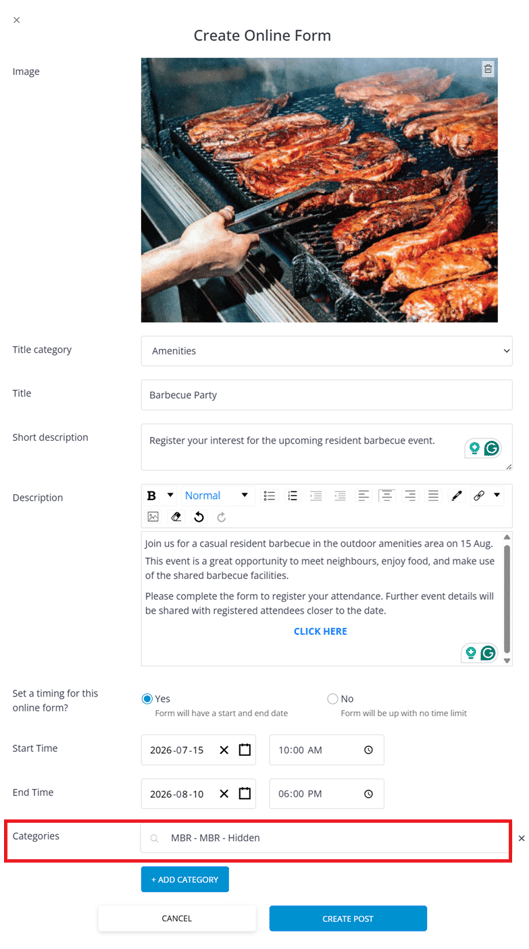
- Enter the relevant category (e.g., “MBR-Owners”).
- Only users with that category assigned to their profile will see the post.
Categories vary per project. To view or manage categories, go to Communication Management > Categories in the dashboard.
✅ Tip: Always preview your post in-app to ensure links, images, and visibility settings appear as intended.