---
title: Staff Access and Roles
description: Learn how to create a Staff account, add staff details, and assign the correct access level for project and portfolio management.
---
[Skip to content](https://knowledge.keyvision.com.au/staff-access-and-roles#main-content)
English - Australia
Show submenu for translations

Open main navigation
Close main navigation
- English - Australia
Show submenu for translations
- Contact us
Contact us
How can we help you?
- There are no suggestions because the search field is empty.
1. [Keyvision](https://knowledge.keyvision.com.au/?hsLang=en-au)
2. [Dashboard Access](https://knowledge.keyvision.com.au/dashboard-access?hsLang=en-au)
16 June 2026
# Staff Access and Roles
### Creating a Staff record
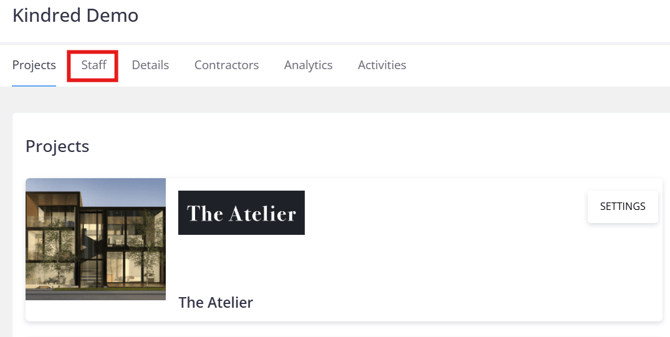
1\. From the Project screen, click the **Staff** tab.
****
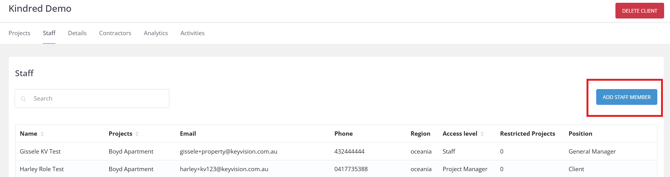
2\. Click **Add Staff Member** to add a new record.
Note: The **Add Staff Member** button is only available to staff with **Client** level access.
****
3\. Add the staff member's details and click **Create Account** to save the record.
**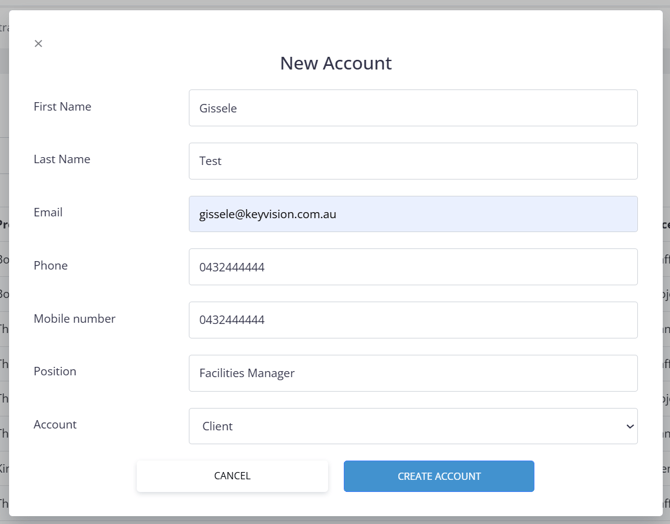**
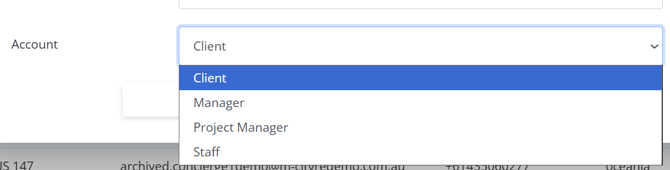
The **Account** field determines the level of access of the staff member. These are categorised into four levels: Client, Manager, Project Manager, and Staff.
****
### **Levels of Access**
**Client Level**
**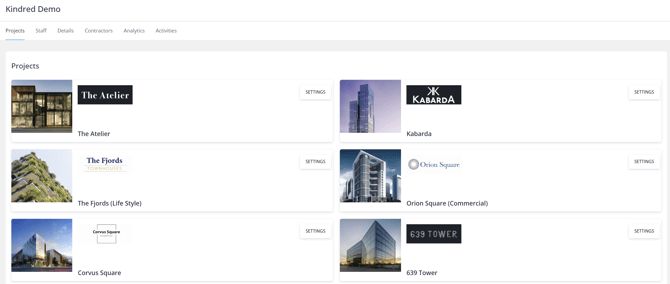**
- Access to all projects under a client
- Can add staff and contractor companies
- Can manage portfolio-wide settings
**Manager Level**
**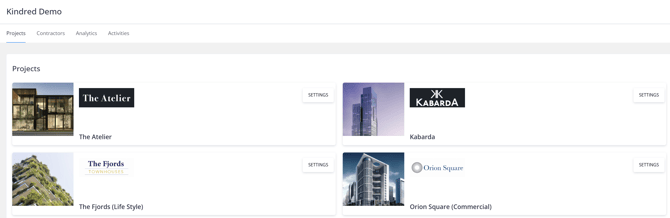**
- Access to selected projects only and their settings
- Used for multi-site managers
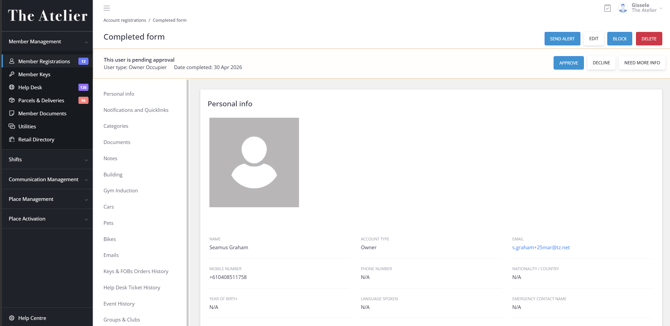
**Project Manager**
****
**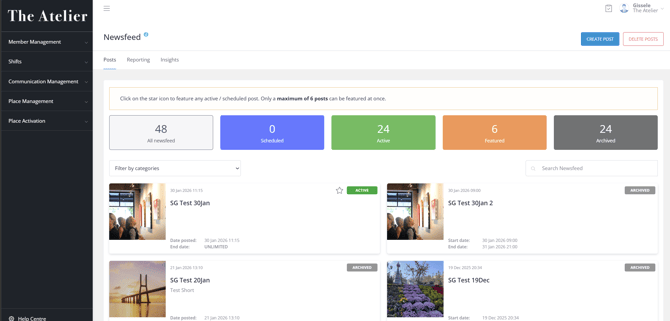**
- Ability to create and delete records within a specific project
**Staff Level**
****
****
- View-only or limited edit access to records within a specific project
- [Communication Management](https://knowledge.keyvision.com.au/communication-management?hsLang=en-au#main-content)
- [Categories](https://knowledge.keyvision.com.au/communication-management?hsLang=en-au#categories)
- [Emails](https://knowledge.keyvision.com.au/communication-management?hsLang=en-au#emails)
- [Newsfeed](https://knowledge.keyvision.com.au/communication-management?hsLang=en-au#newsfeed)
- [Online Forms](https://knowledge.keyvision.com.au/communication-management?hsLang=en-au#online-forms)
- [Member Management](https://knowledge.keyvision.com.au/member-management?hsLang=en-au#main-content)
- [Help Desk](https://knowledge.keyvision.com.au/member-management?hsLang=en-au#help-desk)
- [Member Registrations](https://knowledge.keyvision.com.au/member-management?hsLang=en-au#member-registrations)
- [Parcels & Deliveries](https://knowledge.keyvision.com.au/member-management?hsLang=en-au#parcels-deliveries)
- [Place Management](https://knowledge.keyvision.com.au/place-management?hsLang=en-au#main-content)
- [Building Keys](https://knowledge.keyvision.com.au/place-management?hsLang=en-au#building-keys)
- [Contractors](https://knowledge.keyvision.com.au/place-management?hsLang=en-au#contractors)
- [Keys & Fobs](https://knowledge.keyvision.com.au/place-management?hsLang=en-au#keys-fobs)
- [Work Orders](https://knowledge.keyvision.com.au/place-management?hsLang=en-au#work-orders)
- [Place Activation](https://knowledge.keyvision.com.au/place-activation?hsLang=en-au#main-content)
- [Event Calendar](https://knowledge.keyvision.com.au/place-activation?hsLang=en-au#event-calendar)
- [Management Access, Settings & Permissions](https://knowledge.keyvision.com.au/management-access-settings-permissions?hsLang=en-au)
- [Release Notes](https://knowledge.keyvision.com.au/release-notes?hsLang=en-au#main-content)
- [2026](https://knowledge.keyvision.com.au/release-notes?hsLang=en-au#2026)
- [Dashboard Access](https://knowledge.keyvision.com.au/dashboard-access?hsLang=en-au)
- [Essentials](https://knowledge.keyvision.com.au/essentials?hsLang=en-au#main-content)
- [How To's](https://knowledge.keyvision.com.au/essentials?hsLang=en-au#how-tos)
[](https://keyvision.com.au/?hsLang=en-au)
[mailto:email@email.com](mailto:email@email.com)
Copyright © 2026, Keyvision